Back to blogHow to Install Aster BI on Your iPhone or Android Device

How to Install Aster BI on Your iPhone or Android Device

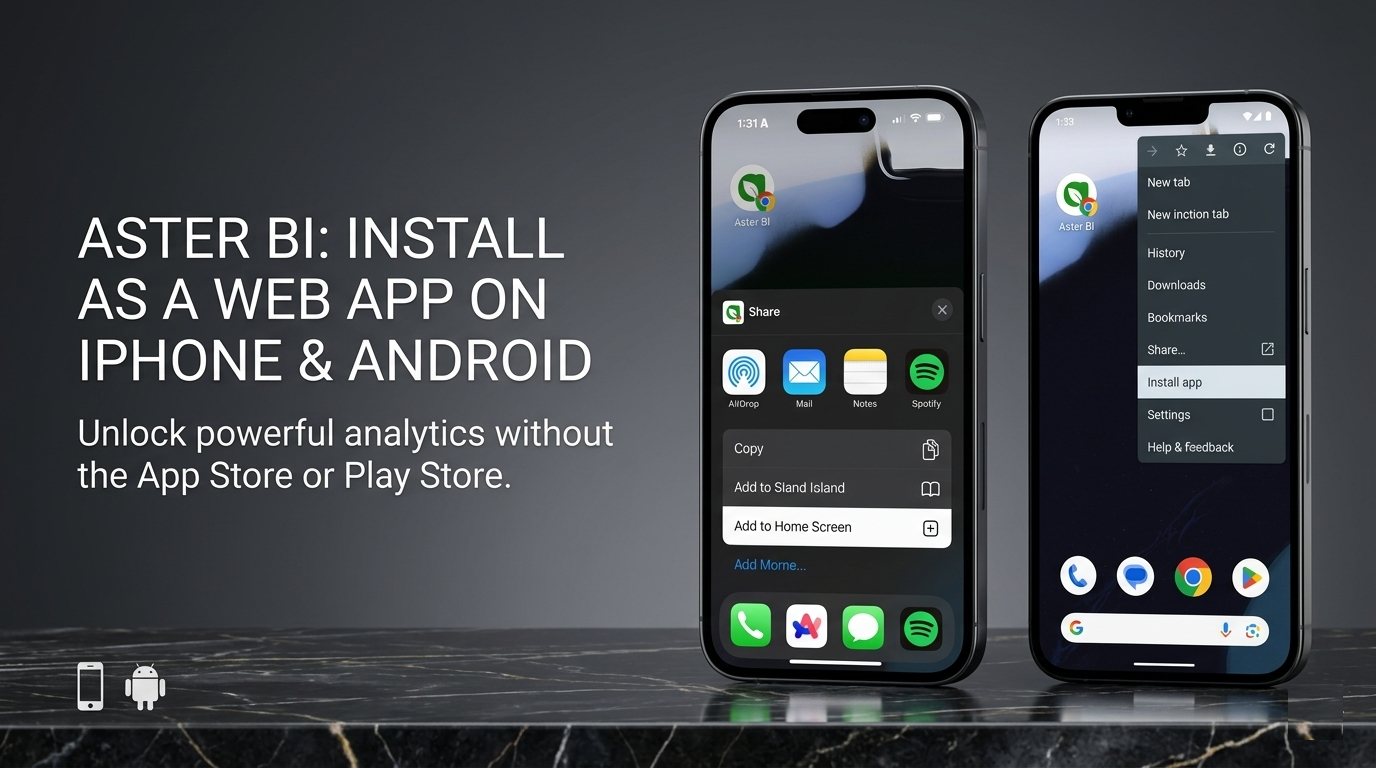
Aster BI is a web app, not a native App Store or Play Store app. Here is how to install it on iPhone and Android for faster access from your home screen.

Jalil Ogunniyi
Jalil OgunniyiEngineerMarch 21, 2026
Aster BI
PWA
iPhone
Android
How-To

Aster BI is a web app that you can install to your phone for a faster, more app-like experience. You do not need to download it from the App Store or Play Store to keep it one tap away on your device.

Important: the installation flow is different on iPhone and Android. On iPhone, you should use Safari and add Aster BI from the Share menu. On Android, you will usually install it from Chrome's browser menu.

The screens below are visual guides. Exact icons, wording, and menu placement can vary slightly depending on your browser version and device.

Why install Aster BI to your device?

  • Open Aster BI in one tap from your home screen.
  • Use Aster BI in a cleaner, app-like window with less browser clutter.
  • Get back to invoices, expenses, and reporting faster during the workday.
  • Keep Aster BI easy to find whenever you need it.

Before you start

  • On iPhone or iPad, open Aster BI in Safari. Other iOS browsers may still rely on Safari's install flow behind the scenes.
  • On Android, Chrome gives the most familiar install flow, though labels can vary slightly by browser and device.
  • If you are signed in already, that is fine. If not, you can still install Aster BI first and sign in afterwards.

How to install Aster BI on iPhone

On iPhone and iPad, there is usually no automatic install prompt for web apps. The reliable way is to open Aster BI in Safari and add it manually to your Home Screen.
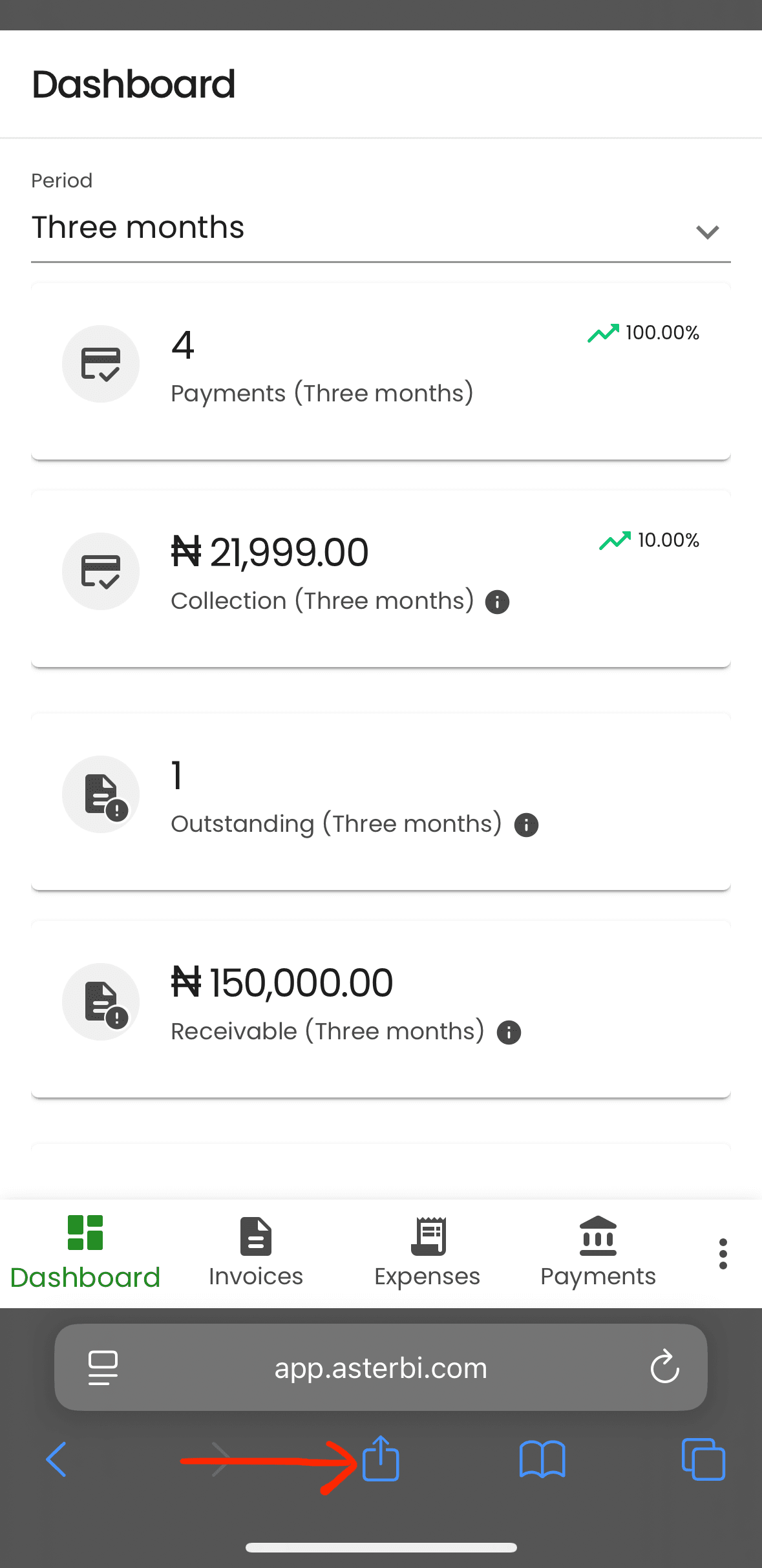
iPhone Safari with the Share button highlighted for installing Aster BI.
Step 1: Open Aster BI in Safari, then tap the Share button.
  • Open asterbi.com in Safari.
  • Tap the Share button.
  • Scroll the menu and tap Add to Home Screen.
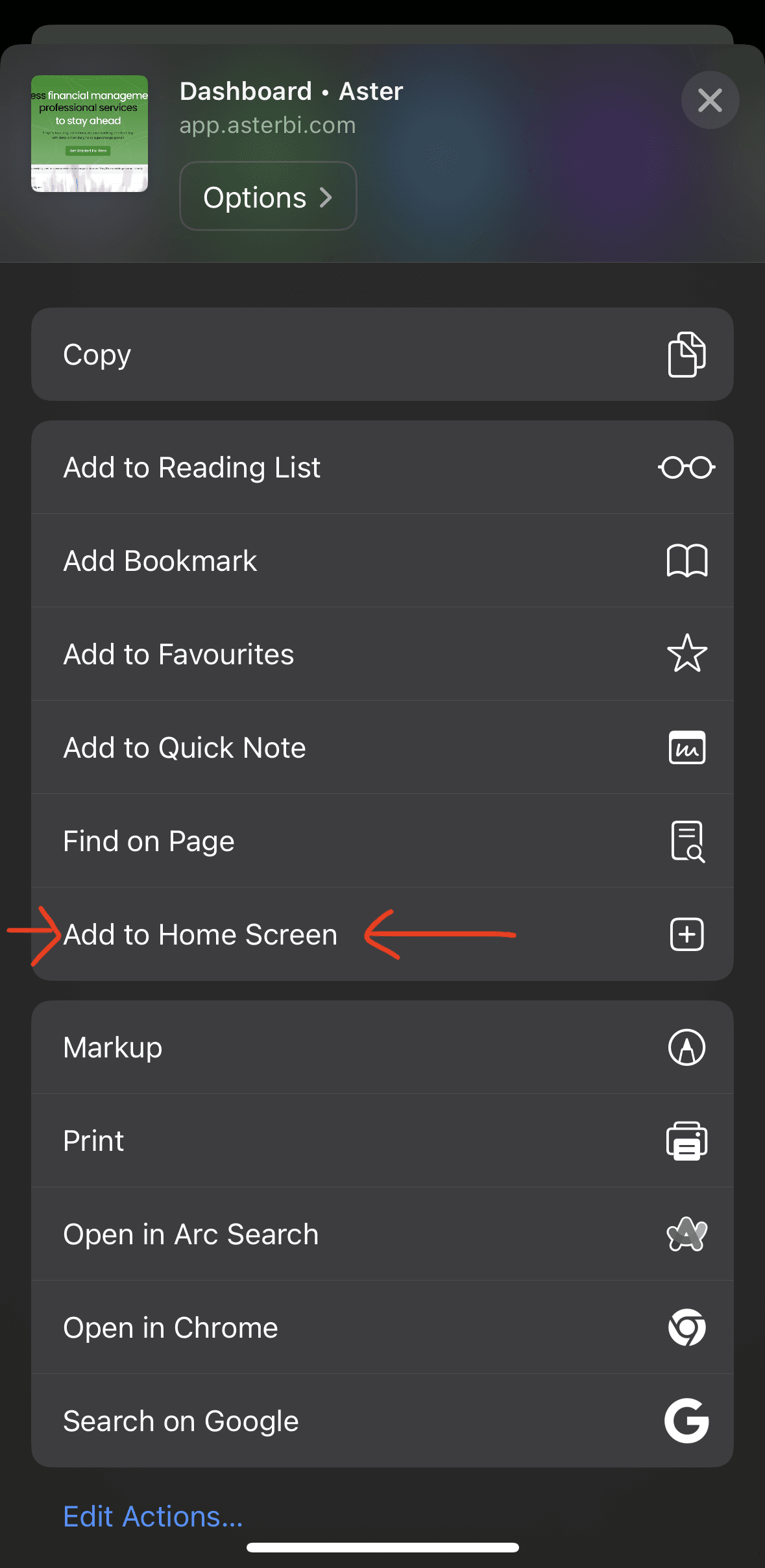
iPhone Safari share sheet with Add to Home Screen highlighted.
Step 2: Choose Add to Home Screen to create the app-style shortcut.
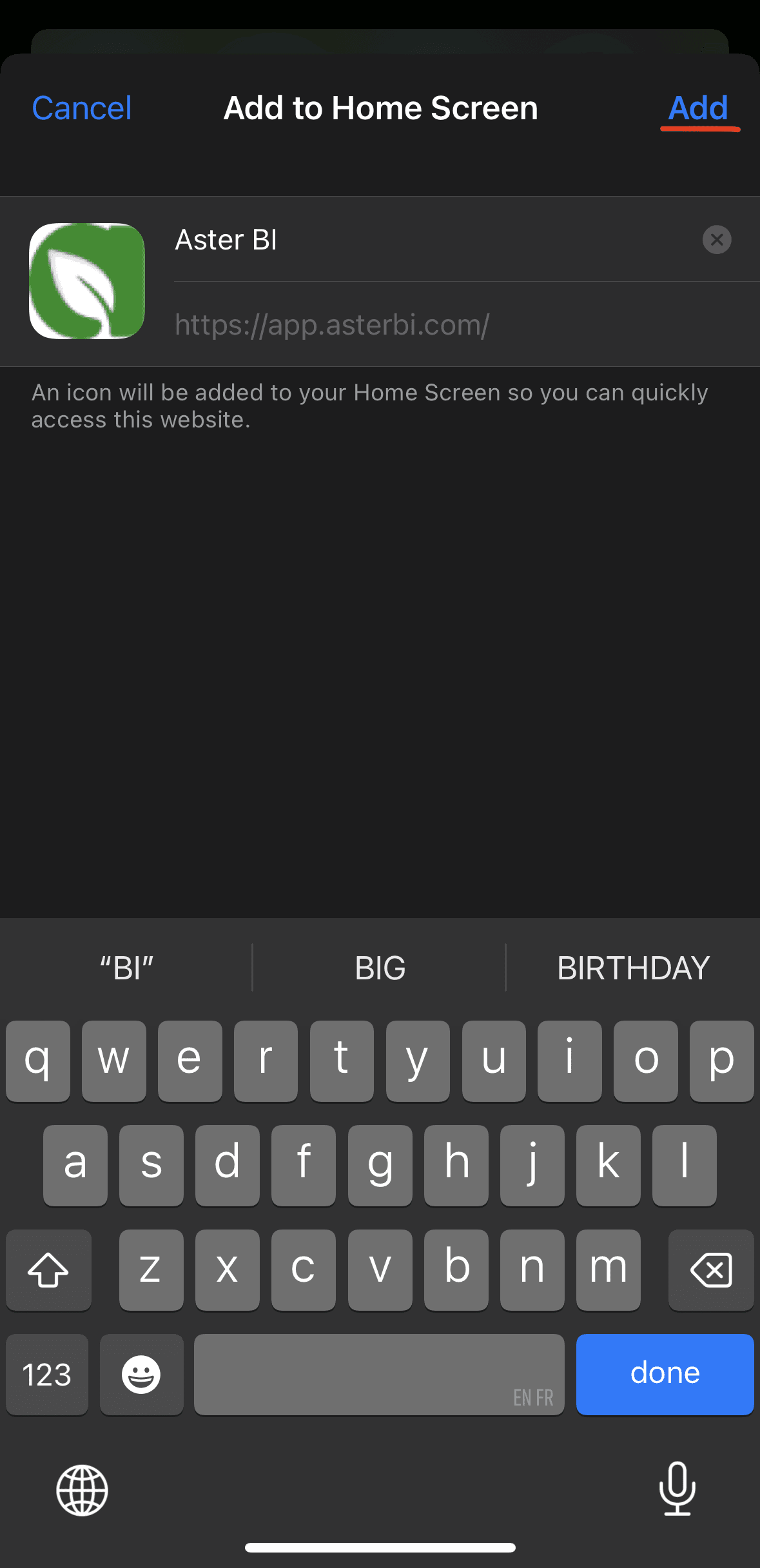
iPhone Add to Home Screen confirmation with the Add button highlighted.
Step 3: Confirm the app name if needed, then tap Add.

If your iPhone shows an 'Open as Web App' option, leave it turned on. Then tap Add. Aster BI will appear on your Home Screen and open like an app the next time you launch it.
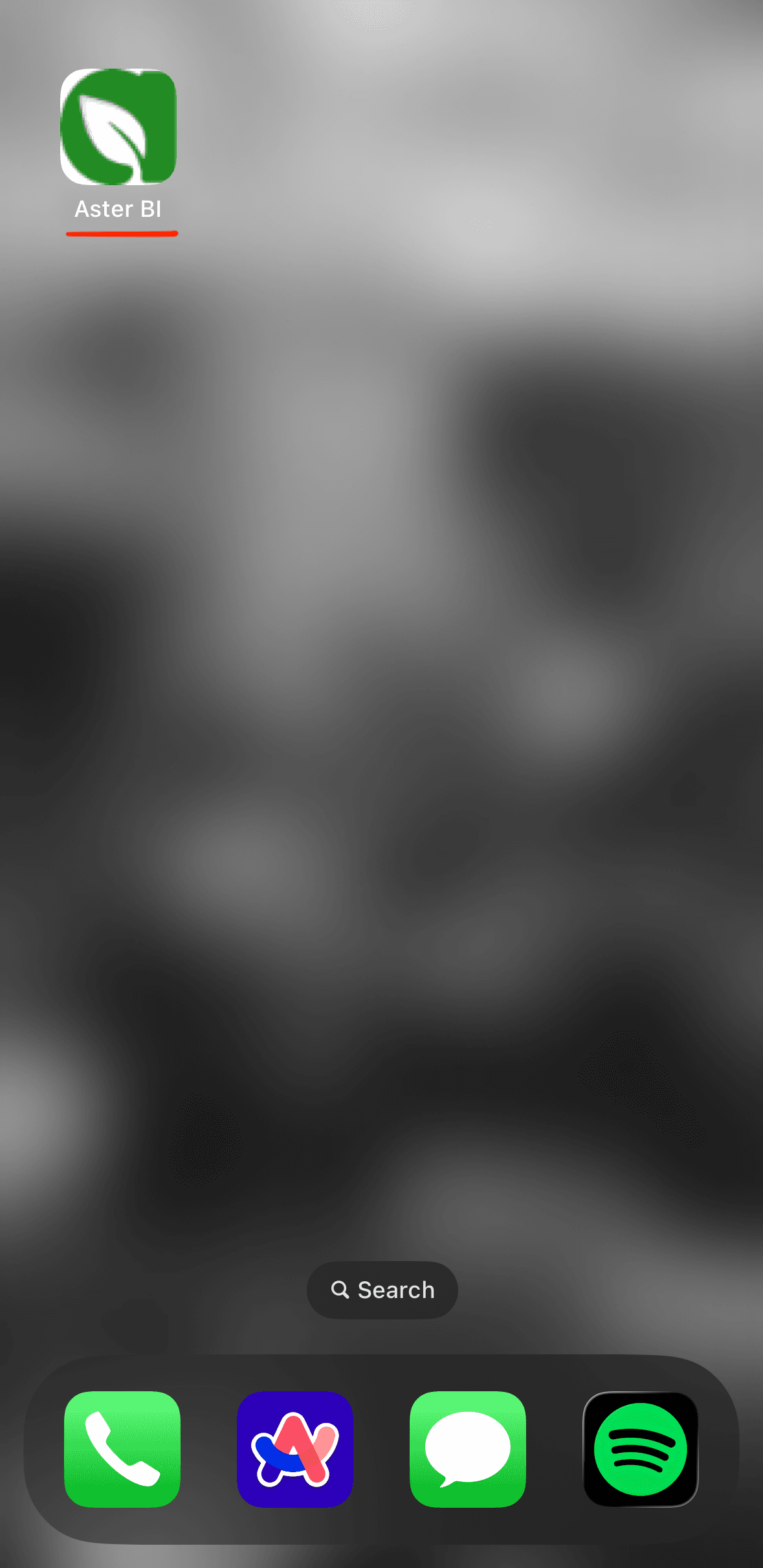
Aster BI icon on an iPhone home screen after installation.
After installation, Aster BI appears on your Home Screen for one-tap access.
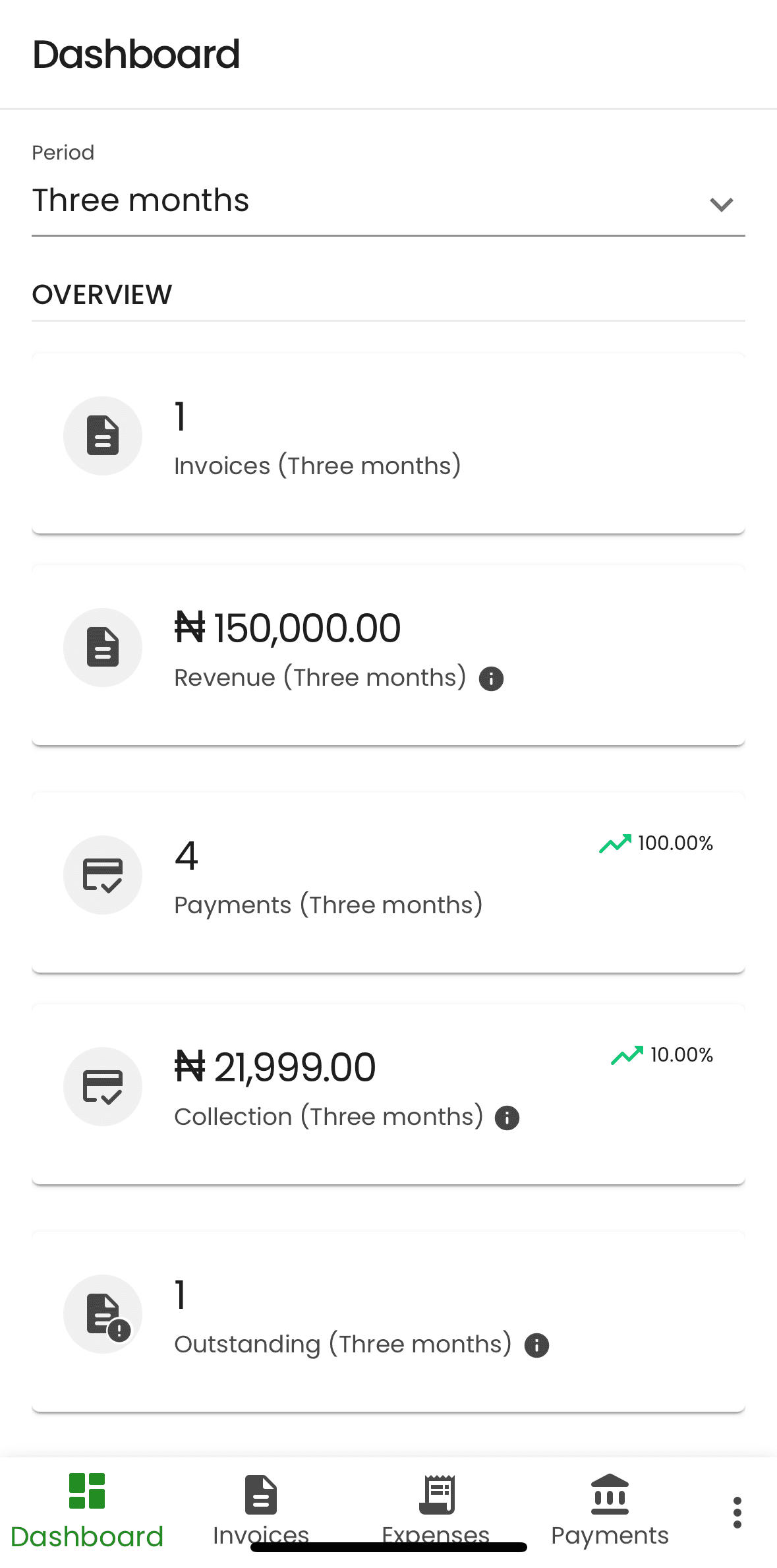
Aster BI dashboard open from the installed iPhone home screen icon.
Opening the Home Screen icon launches Aster BI in its app-like view.

How to install Aster BI on Android

On Android, Chrome may show either 'Install app' or 'Add to Home screen' depending on the device, browser version, and whether the browser is presenting a richer install flow or a manual install flow.
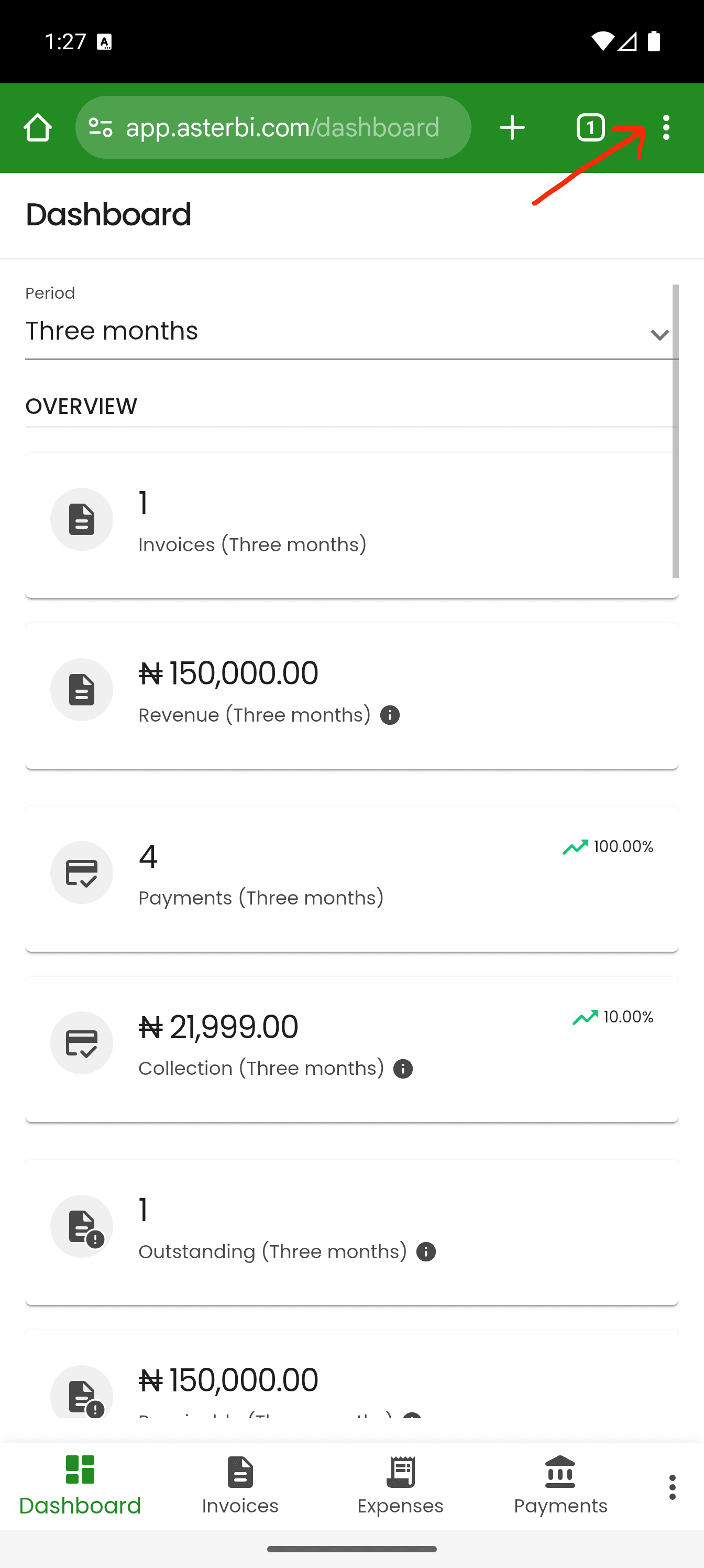
Android Chrome with the browser menu highlighted while viewing Aster BI.
Step 1: Open Aster BI in Chrome and tap the three-dot menu.
  • Open asterbi.com in Chrome.
  • Tap the three-dot menu in the top-right corner.
  • Look for Install app or Add to Home screen.
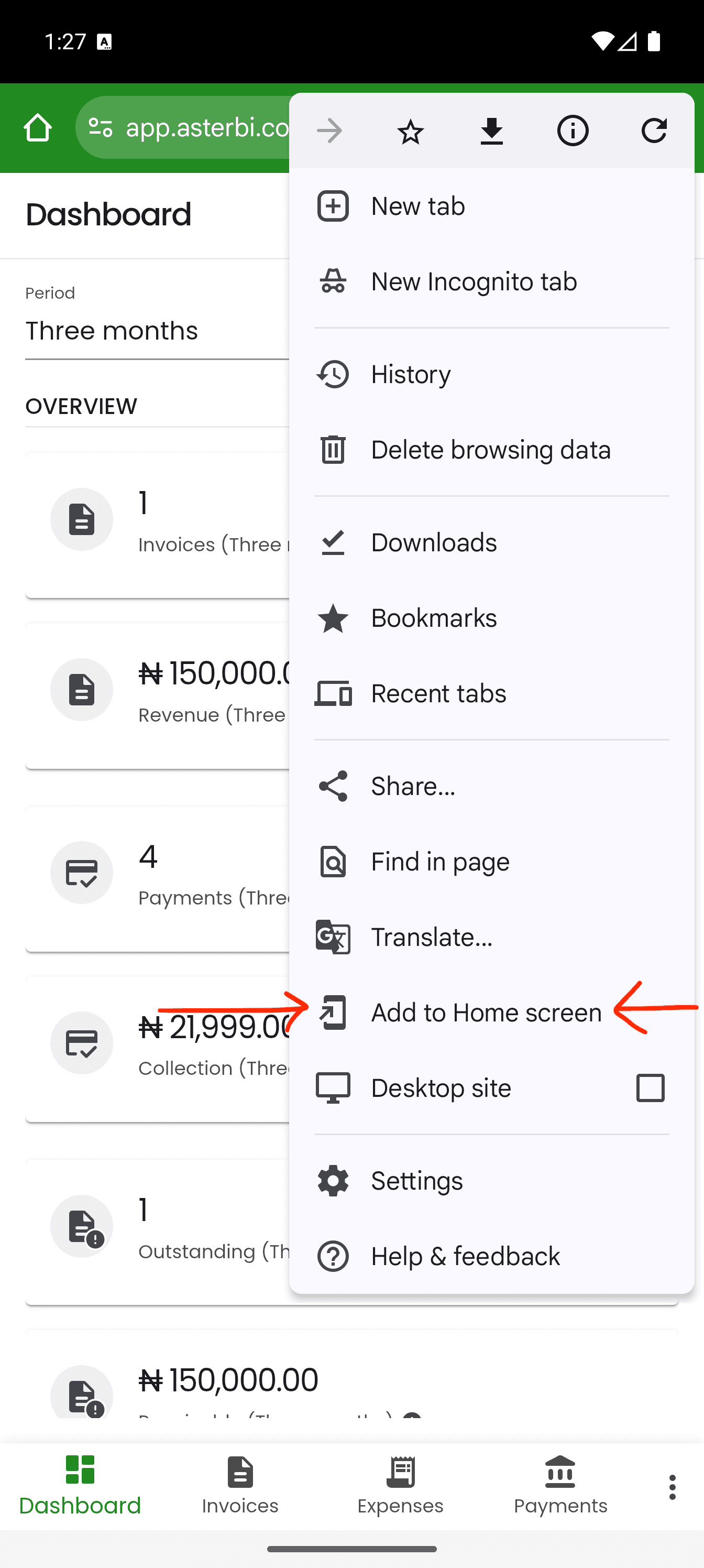
Android Chrome menu with Add to Home screen highlighted for installing Aster BI.
Step 2: In Chrome's menu, tap Add to Home screen.
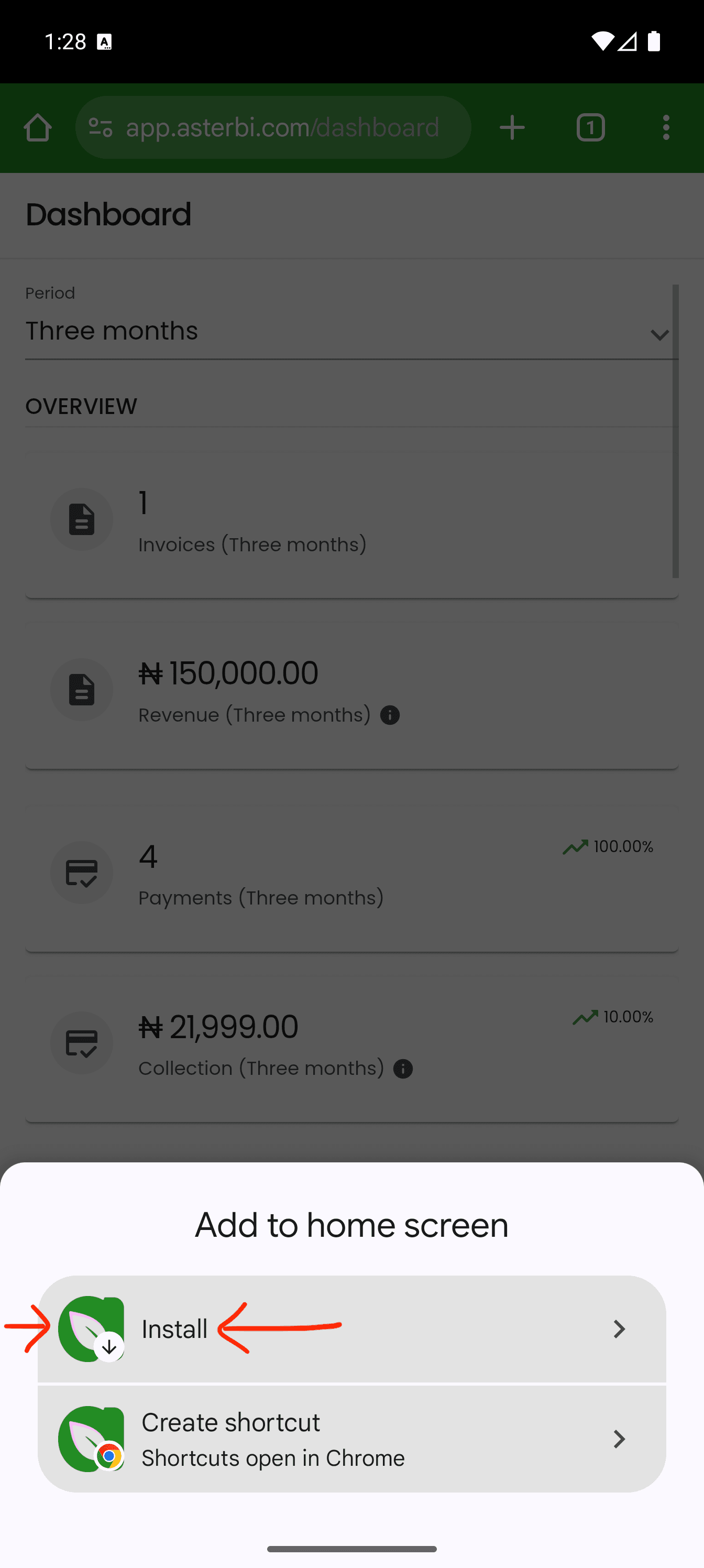
Android Chrome add to home screen sheet with Install highlighted.
Step 3: When Chrome offers the install sheet, choose Install.
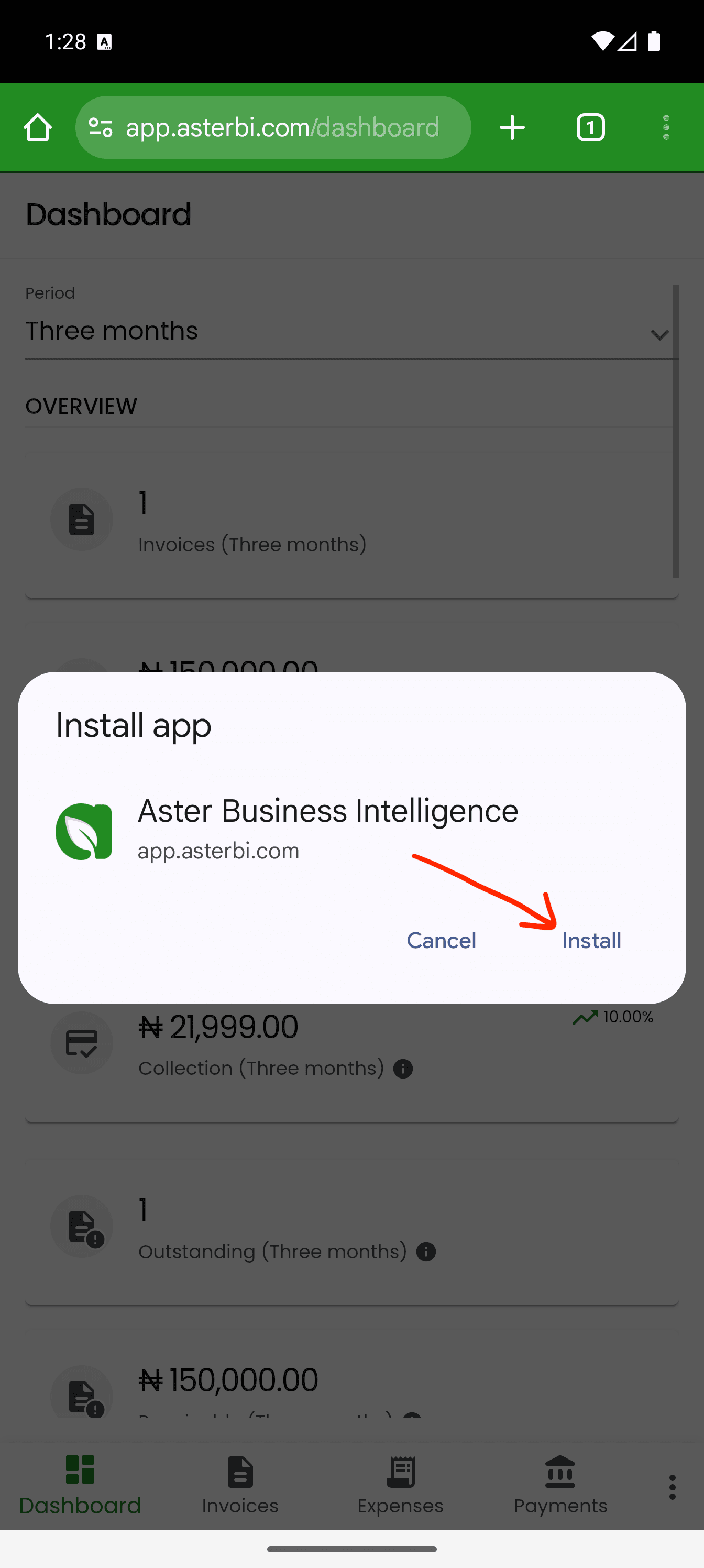
Android install app confirmation dialog with Install highlighted.
Step 4: Confirm the installation when Android asks for it.
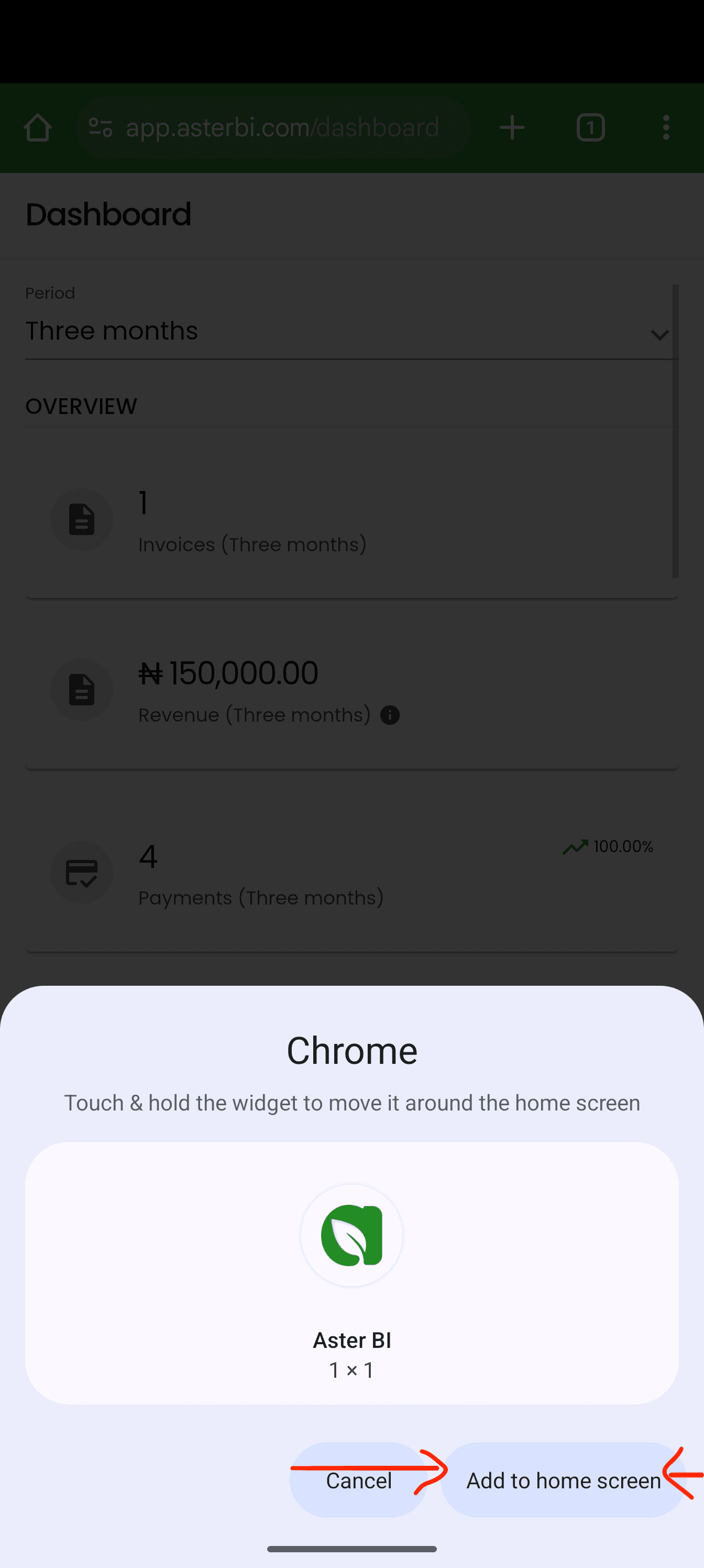
Android add to home screen confirmation with Add to home screen highlighted.
Some Android flows may also ask you to add the shortcut to your Home Screen.
Aster BI icon on an Android home screen after installation.
Once installed, Aster BI appears on your Home Screen and can be launched like an app.

After you confirm, Aster BI will be added to your device so you can launch it directly from your Home Screen or app launcher.

What if you do not see the install option?

  • On iPhone, make sure you are using Safari, not another browser.
  • On Android, try Chrome if another browser does not show the install option clearly.
  • Refresh the page and try again if the install option does not appear immediately.
  • The label may say Install app, Add to Home screen, or something very similar depending on your device.
  • Remember: Aster BI is installed from the browser, not from the App Store or Play Store.

Ready to keep Aster BI one tap away? Open asterbi.com on your phone and follow the steps above to install it today.


More articles from Aster

March 9, 2026
Mastering Payroll and PAYE Compliance for Nigerian SMEs in 2026: A Free System to Save Time and Avoid Penalties
Staff costs often represent up to 60% of revenue for Nigerian businesses, yet many SMEs grapple with accurate payroll, especially under the new Nigeria Tax Act 2025. With exemptions for incomes <= ₦800,000, progressive rates, and mandatory e-filing, compliance is more critical than ever to avoid hefty penalties.
October 14, 2025
Unlocking Capital for SMEs - A Guide for Entrepreneurs
Access to capital is often cited as a major barrier for Nigerian SME entrepreneurs. Once you’ve identified a market need (a problem customers are willing to pay to solve) and developed a solution (products or services), the challenge becomes securing the capital to bring your vision to life. The solution lies in understanding what capital is and leveraging its sources effectively. This article provides a clear framework to help SME entrepreneurs increase capital and sustain growth.
October 2, 2025
Don't Let Stubborn Clients Drain Your Hustle: Reclaim Your Cashflow in Nigeria's Professional Services
In Nigeria's fast-paced professional services—think legal eagles, sharp consultants, and accounting pros—over 25% of hard-earned revenue sits trapped in Accounts Receivable (AR). That's money clients owe you, not the other way round. With AR collection averaging 90-120 days (PwC Africa 2025), it's no wonder cashflow squeezes feel like Lagos traffic: endless, stressful, and profit-killing. Many firms teeter on the edge, with 40% of SMEs risking shutdown from these delays (World Bank, 2025).